Tashreef Shareef / MakeUseOfCredit: Tashreef Shareef / MakeUseOf By Tashreef Shareef Published Oct 7, 2026, 8:00 AM EDT Tashreef's fascination with consumer technology began in the school library when he stumbled upon a tech magazine, CHIP, which ultimately inspired him to pursue a degree in Computer Science. Since 2012, Tashreef has professionally authored over a thousand how-to articles, contributing to Windows Report and How-To Geek. He currently focuses on Microsoft Windows content at MakeUseOf, which he has been using since 2007.
With hands-on experience building websites and technology blogs, he brings practical developer insights to his technical writing. You can view his complete work portfolio at itashreef.com.
You might also stumble upon his short how-to video explainers, simplifying complex topics. Beyond writing, Tashreef enjoys creating short explainer videos, gaming, and exploring animated shows.
When a Windows PC crashes, it's hard to tell what triggered it. Often, it's a bad driver or newly installed hardware such as a new memory module or a USB device. However, if that's not the case, the built-in Windows tools like Event Viewer and Reliability Monitor can be hit or miss. Sometimes they can tell what went wrong; other times they fail to catch the culprit.
Surprisingly, the tool that can accurately tell you what caused the crash is a Microsoft tool, just not one that comes pre-installed on your PC. I crashed Windows on purpose three ways to find which of the built-in tools can explain it best, and WinDbg came out on top.
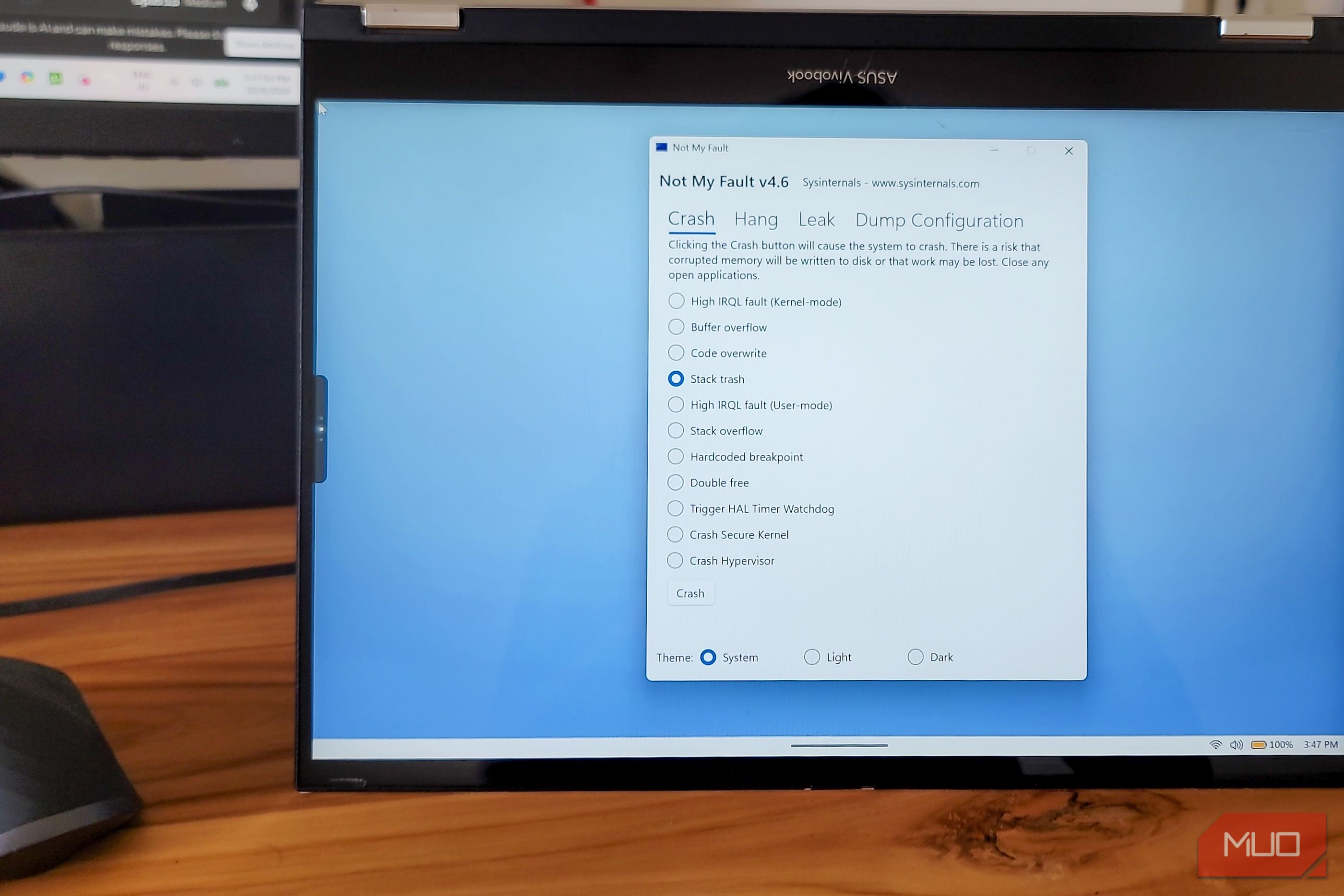
Tashreef Shareef / MakeUseOfTashreef Shareef / MakeUseOfTashreef Shareef / MakeUseOfTashreef Shareef / MakeUseOfTashreef Shareef / MakeUseOfCloseTashreef Shareef / MakeUseOfTashreef Shareef / MakeUseOfTashreef Shareef / MakeUseOfTashreef Shareef / MakeUseOfTashreef Shareef / MakeUseOf I ran everything inside a Windows 11 VirtualBox VM so no real hardware or data was at risk. The crash tool was NotMyFault, part of Microsoft's Sysinternals suite of diagnostic utilities, designed to crash Windows on demand. You run it as admin, pick a crash type, and the system goes down instantly.
I triggered three different crashes to see how each tool handled them. A High IRQL fault, the classic driver crash. A buffer overflow that corrupts memory. And a stack trash that breaks the call stack. Each one fails in a different way, which means a good diagnostic tool should catch them all.
Before crashing, I set Windows to save small memory dumps and turned off automatic restart (System Properties > Advanced > Startup and Recovery) so each crash screen stayed on screen long enough to read. The buffer overflow didn't crash on its own, so I enabled Driver Verifier's Special Pool check for NotMyFault's driver to force it. After each crash, I checked the same four places in the same order: the crash screen, Reliability Monitor, Event Viewer, and finally the dump file in WinDbg.
![Zapier vs. Tray comparison: Which is best for enterprise automation? [2026]](https://images.ctfassets.net/lzny33ho1g45/1yB55KkctBPlYi9okoXbAw/c54021a84c3dd00d7cf7ae7857e85f84/zapier-vs-tray-hero.jpg)